0.3 Sharing links and the API
Share a view
Every page keeps what it shows in the address bar: the map its view, open popup and filters, the Problems page its filters and entry, the Routes tabs their open variant. Copy the address, or use a Copy link button, and the link opens the same view for anyone, as long as the data still holds it (A2.9).
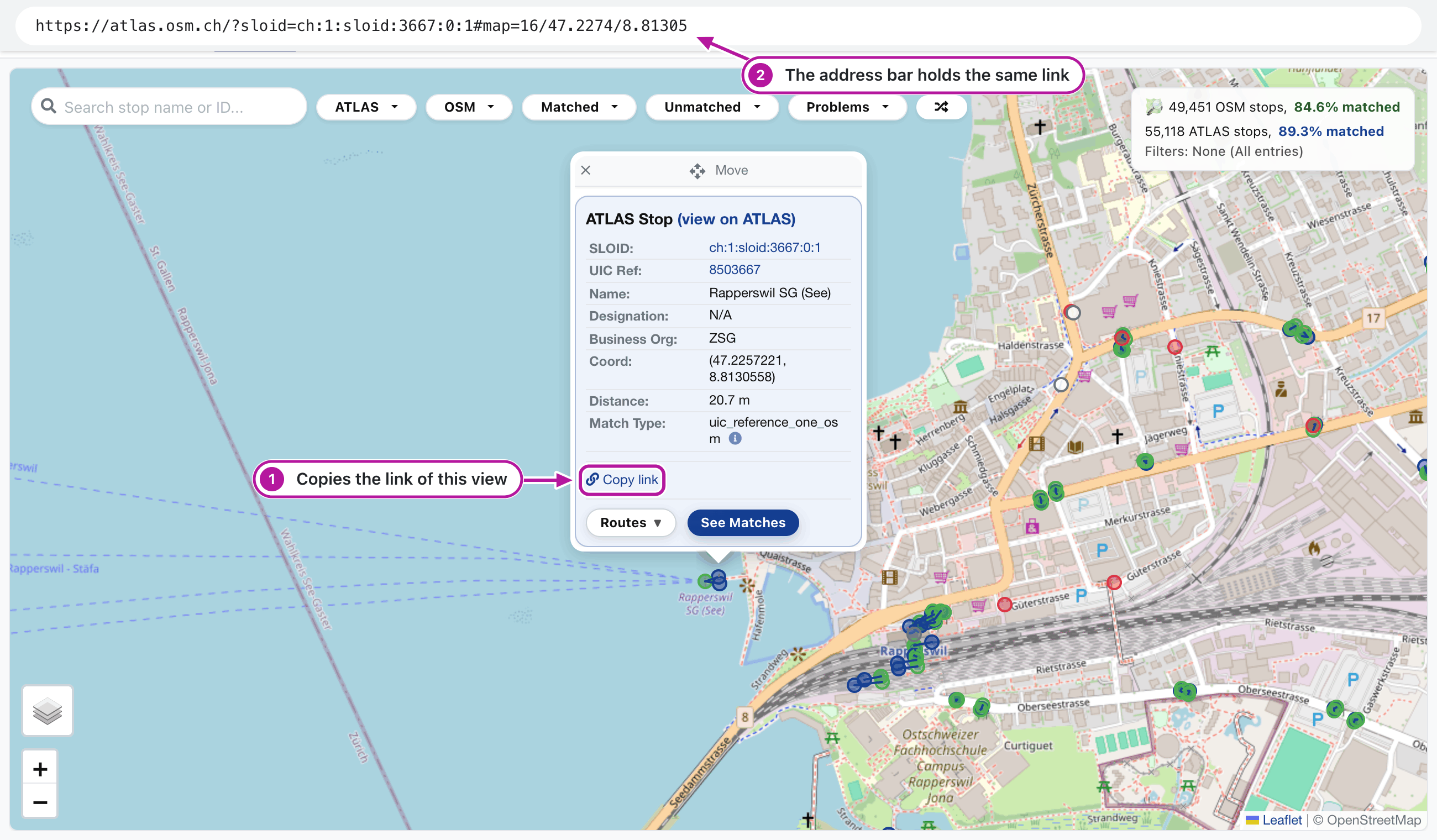
Look at the numbers in the picture:
- Copy link in a stop's popup copies the link of this view.
- The address bar already holds the same link, the stop (
sloid) and the map position (#map=), so copying it works as well.
Look up a stop from a script
Scripts can use the public API, /api/lookup. Give osm=node/<id>, sloid=<SLOID> or uic_ref=<number>, and it returns every match of the stop as JSON:
curl -s 'https://atlas.osm.ch/api/lookup?osm=node/436199776'
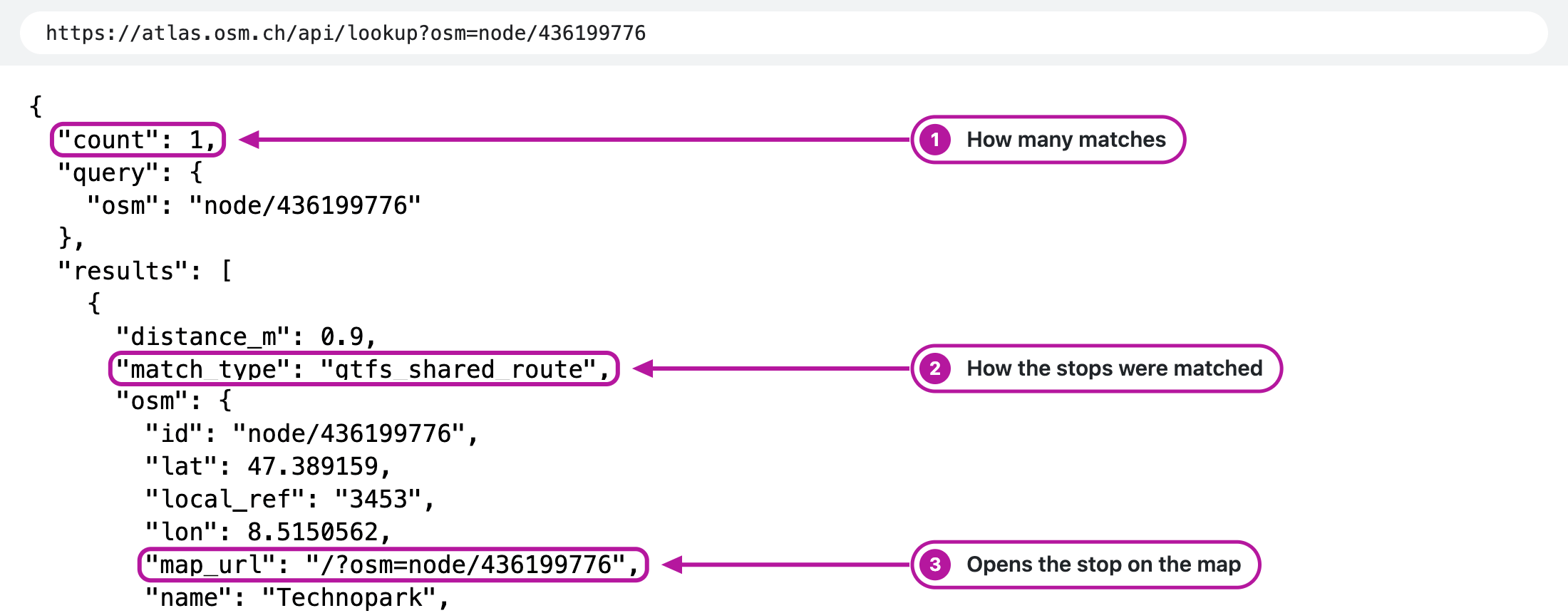
Look at the numbers in the picture:
countsays how many matches the stop has.match_typesays how the two stops were matched.map_urlis the path that opens the stop on the map.
Only the lookup is stable; other addresses under /api/ serve the pages and change without notice. AI agents can read /llms.txt, which explains the site and points them to the lookup.
Related pages
- A2.9 Permalinks: the link format of every page
- A2.10 Public API: the lookup's parameters and response fields